You probably want a system that keeps you connected to your vehicle without hassle, and Honda Link does just that. Honda Link links your smartphone to your Honda, providing real-time data and remote control features.
From monitoring vehicle health to managing navigation and security, it integrates technology to simplify your driving experience. Understanding how it works and what it offers can help you decide if it’s the right fit for your needs.
Key Takeaways
- Honda Link is a connected vehicle system that integrates a smartphone with a Honda car for enhanced control and information access.
- It provides real-time vehicle data such as fuel levels, maintenance alerts, and driving habit insights through a dedicated app.
- The system allows remote features like starting the engine, locking/unlocking doors, and sending navigation destinations.
- Honda Link enhances driving convenience by enabling hands-free control of calls, messages, and media via smartphone integration.
- Compatibility varies by model year and trim, generally available on Honda vehicles from 2016 onward with advanced tech packages.
What Is Honda Link and How It Works
How does Honda Link enhance your driving experience? Honda Link is a connected vehicle system that integrates your smartphone with your car, providing real-time data and remote access features. It offers detailed insights into your vehicle’s performance, including gas mileage and maintenance alerts, helping you optimize fuel efficiency.
By monitoring your driving habits, Honda Link encourages eco driving techniques, such as smooth acceleration and braking, which can reduce emissions and save fuel. The system works through a dedicated app paired with your vehicle’s telematics, allowing you to track trip histories, fuel consumption, and receive notifications.
With this technology, you gain a comprehensive understanding of your car’s operation, empowering you to make informed decisions that improve efficiency and promote environmentally friendly driving.
Which Honda Models Support Honda Link
Which Honda models support Honda Link depends largely on the year and trim level of the vehicle. Honda compatibility with this system typically extends to newer models equipped with advanced infotainment systems. When determining if your vehicle supports Honda Link, consider these key points:
- Model Year – Honda Link is generally available in models from 2016 onward, with increasing feature sets in newer years.
- Trim Level – Higher trims usually include the technology package required for Honda Link compatibility.
- Vehicle Type – Popular models like the Accord, CR-V, Civic, and Pilot often support Honda Link, but availability varies.
Safety considerations are integrated into Honda Link-compatible vehicles, ensuring connected features enhance driver awareness without compromising safety. Always verify your specific model’s compatibility to make full use of Honda Link’s capabilities.
Honda Link Features That Make Driving Easier
Honda Link offers real-time vehicle monitoring to keep you informed about your car’s status and maintenance needs.
It seamlessly integrates your smartphone, allowing you to control key functions and access information hands-free.
Plus, enhanced navigation assistance helps you reach your destination efficiently and safely.
Real-Time Vehicle Monitoring
Real-time vehicle monitoring provides you with instant access to your car’s status through the Honda Link app. This feature leverages Honda Link’s real time monitoring capabilities to keep you informed about your vehicle’s condition and performance. You’ll receive Honda Link maintenance alerts that help you stay ahead of potential issues, ensuring timely service.
With real-time monitoring, you can:
- Check essential statistics like fuel level, battery status, and tire pressure remotely.
- Receive immediate maintenance alerts to address problems before they escalate.
- Monitor your vehicle’s location and driving history for security and efficiency.
Seamless Smartphone Integration
Beyond monitoring your vehicle’s status, you can enhance your driving experience through seamless smartphone integration offered by Honda Link. This system connects your smartphone directly to your vehicle, allowing you to control essential features through a user-friendly interface.
You can manage calls, messages, and media without distraction, promoting proper driving etiquette. Additionally, Honda Link supports real-time updates on cargo management, helping you keep track of load distribution and weight limits to maintain vehicle stability and safety.
The integration ensures you stay connected while minimizing manual interaction, reducing driver distraction. By streamlining access to these functions, Honda Link supports safer, more efficient driving practices, aligning technology with practical vehicle operation to improve your overall control and awareness on the road.
Enhanced Navigation Assistance
How can your vehicle’s navigation system become smarter and more intuitive? Honda Link enhances your driving experience by offering advanced navigation assistance tailored to real-time conditions. It integrates two word discussion ideas like “traffic updates” and “route optimization” seamlessly, avoiding any unrelated topic distractions.
Here’s how Honda Link improves navigation:
- Real-time traffic data: It adjusts your route dynamically to avoid congestion.
- Voice-guided directions: You get clear, hands-free instructions for safer driving.
- Point of interest (POI) suggestions: The system identifies nearby locations relevant to your needs.
This enhanced navigation assistance ensures you reach your destination efficiently, supported by precise, context-aware guidance. Honda Link’s technology minimizes guesswork, making your journey smoother and more predictable.
How Honda Link Connects Your Smartphone for Seamless Control
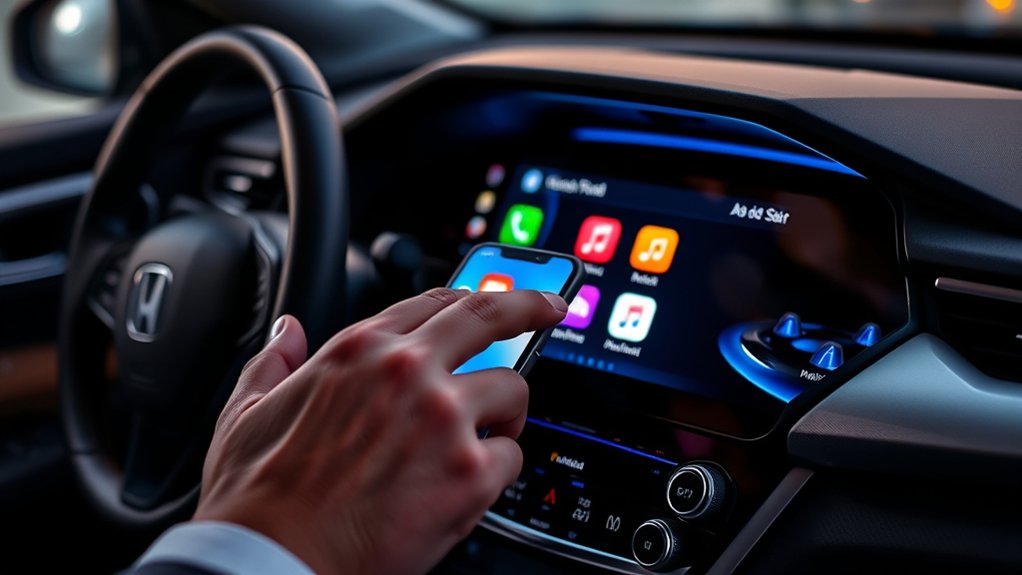
You connect your smartphone to Honda Link using the app, which syncs with your vehicle’s system for real-time data access. This integration lets you monitor your car’s status remotely and control key functions like locking doors or starting the engine.
With seamless communication between your phone and vehicle, managing your drive becomes more efficient and convenient.
Smartphone Integration Features
Where does your smartphone fit into the Honda Link system? It acts as the central hub, allowing seamless control of your vehicle through advanced integration features. Unlike an unrelated topic or random discussion, this connection focuses strictly on enhancing your driving experience.
Honda Link enables you to:
- Access vehicle settings and diagnostics directly from your phone, eliminating manual checks.
- Control audio, navigation, and climate functions via the smartphone app or touchscreen interface.
- Send destinations from your phone to the vehicle’s navigation system, ensuring efficient route planning.
This integration ensures your smartphone isn’t just a device but an essential extension of your car’s technology, providing convenience and real-time interaction without distraction.
Real-Time Vehicle Monitoring
Why monitor your vehicle in real time? Real-time vehicle monitoring through Honda Link lets you track your car’s status instantly via your smartphone. This connection provides live data on fuel levels, battery health, and maintenance alerts, helping you optimize energy efficiency by adjusting driving habits or scheduling timely service.
You can also monitor tire pressure and engine performance, ensuring your vehicle runs smoothly and safely. Beyond performance, Honda Link keeps you informed about the car’s aesthetics, such as exterior damage notifications or alerting you if the vehicle is moved unexpectedly.
Remote Control Functions
Building on the ability to monitor your vehicle’s status in real time, Honda Link extends control by enabling remote operation through your smartphone. This seamless connection lets you interact with your car beyond traditional limits, enhancing convenience and security.
Key remote control functions include:
- Remote start and stop: Warm up or cool down your vehicle before you get in.
- Door lock and unlock: Secure your vehicle or grant access without a key.
- Vehicle locator: Quickly find your car in crowded parking lots.
While these features offer significant benefits, you should be aware of privacy concerns related to data collection. Honda Link collects and transmits vehicle and user data to facilitate these remote services.
It’s crucial to review privacy settings and consent options to maintain control over your personal information.
Remote Vehicle Control and Navigation With Honda Link
How can you enhance convenience and control over your vehicle using Honda Link? The system allows you to remotely start, lock, or unlock your car and send destination addresses directly to your vehicle’s navigation.
You’ll appreciate how remote updates improve functionality without visiting a dealer, though staying aware of privacy concerns is important since data transmission is involved. Honda Link’s integration with your smartphone offers seamless control and navigation adjustments, making travel easier and safer.
| Feature | Benefit |
|---|---|
| Remote Start | Prepares the vehicle before entry |
| Remote Lock/Unlock | Enhances security from a distance |
| Send Navigation Destinations | Saves time entering addresses |
| Remote Updates | Keeps software current without hassle |
These features empower you with efficient, secure vehicle management.
Keep Your Honda Healthy With Honda Link Maintenance Alerts
Beyond remote control and navigation, Honda Link also helps you maintain your vehicle’s health by providing timely maintenance alerts. These notifications ensure you stay ahead of potential issues, optimizing your car’s performance and longevity.
Here’s how Honda Link assists with your car maintenance:
- Scheduled Service Reminders: Receive alerts for oil changes, tire rotations, and other routine maintenance based on your vehicle’s mileage and usage data.
- Battery Performance Monitoring: Get notified if the battery’s condition declines, helping prevent unexpected failures.
- Diagnostic Trouble Codes: Honda Link alerts you to detected engine or system faults, guiding you to address problems promptly.
Tips to Maximize Your Honda Link Experience
Wondering how to get the most out of Honda Link? Start by regularly updating the app to access the latest features and improvements.
Use the off road readiness tools to monitor your vehicle’s condition before heading into challenging terrain, ensuring safety and performance. Take advantage of dealership tips provided through the app, which offer expert advice tailored to your specific Honda model.
These tips can help you optimize maintenance schedules and vehicle settings. Customize notifications for service alerts and driving reports to stay informed without being overwhelmed.
Finally, sync your smartphone and vehicle seamlessly to utilize remote functions like vehicle location tracking and climate control efficiently. Following these steps will enhance your Honda Link experience, keeping your vehicle in peak condition and improving your overall driving convenience.
Troubleshooting Common Honda Link Issues
When does Honda Link fail to connect or respond as expected? Troubleshooting common Honda Link issues often involves addressing connectivity, app functionality, and vehicle compatibility. To resolve problems with real time monitoring and remote control features, follow these steps:
- Check your smartphone’s Bluetooth and data connection. Ensure both are active and stable, as Honda Link depends on uninterrupted communication.
- Update the Honda Link app and vehicle software. Outdated versions can cause syncing errors and limit remote control capabilities.
- Verify vehicle compatibility and account settings. Confirm your vehicle supports Honda Link features, and that your login credentials are correct.
Frequently Asked Questions
Does Honda Link Work With Non-Honda Vehicles?
Honda Link doesn’t support non Honda compatibility directly, as it’s tailored for Honda vehicles. You won’t find official third party integrations, so connecting it to non Honda cars isn’t feasible with current software and hardware limitations.
Is There a Subscription Fee for Honda Link Services?
Yes, you’ll encounter a subscription fee for certain Honda Link services after the initial trial. Opting for a service plan extends features like remote start, diagnostics, and emergency assistance, ensuring continuous connectivity and support.
Can Honda Link Be Used Internationally or Only in the U.S.?
You can’t rely on Honda Link for international use since it’s primarily designed for the U.S. market.
It also lacks non-Honda compatibility, limiting its functionality with other vehicle brands outside Honda’s ecosystem.
How Secure Is the Data Shared Through Honda Link?
When it comes to data privacy, Honda Link doesn’t beat around the bush. It uses robust data encryption methods, ensuring your information stays secure and protected from breaches.
This allows you to enjoy seamless connectivity and control without worrying about your data’s safety.
Does Honda Link Support Voice Commands Through Third-Party Assistants?
Honda Link supports voice assistants through third party integration, allowing you to control certain functions hands-free. You’ll find compatibility with popular voice assistants, enhancing convenience and safety when interacting with your vehicle’s features.
Conclusion
With Honda Link, your car becomes an extension of your smartphone, turning every drive into a connected experience. It’s like having a digital co-pilot, watching over your vehicle’s health and offering real-time control at your fingertips.
By embracing this technology, you reveal smoother journeys and smarter maintenance, ensuring your Honda runs like clockwork. Stay plugged in, stay informed, and drive with the confidence that your ride is always one step ahead.
Experience the full benefits of seamless connectivity and peace of mind when you choose Honda Link.