When your Honda key fob battery starts to run low, knowing how to change the battery in a Honda key fob is essential to keep it working properly.
Replacing the battery is a straightforward process that can quickly restore your key fob’s functionality.
You’ll need the appropriate tools and the correct battery type, which is usually marked inside the fob.
Opening the case carefully with steady pressure is important to prevent any damage.
Following these precise steps will help ensure your key fob operates reliably and securely for years to come.
Key Takeaways
- Gather a small flathead screwdriver or plastic pry tool and confirm the Honda key fob battery type, usually CR2032.
- Recognize low battery signs like delayed button response, weak signal, or dim LED indicator before replacement.
- Carefully insert the pry tool into the fob seam and apply gentle pressure to open without damaging the casing.
- Remove the old battery, note its orientation, and insert the new battery with the positive side facing up.
- Test all buttons for proper function and keep the fob dry, clean, and handled gently after replacement.
How to Gather Tools and Choose the Right Battery

Before you begin replacing the battery in your Honda key fob, gather the necessary tools and identify the correct battery type. You’ll typically need a small flathead screwdriver or a pry tool designed for electronics to open the fob case without damage.
Gather tools and confirm the correct battery type before replacing your Honda key fob’s battery.
Check your key fob model number to confirm the battery specification, often a CR2032 or similar lithium coin cell. Prioritize gadget ergonomics by selecting tools that fit comfortably in your hand, reducing slip risk.
When shopping, use tips like verifying the battery’s manufacturing date and opting for reputable brands to ensure longevity. Avoid generic batteries, as inconsistent voltage can impair performance.
Preparing this way streamlines the replacement process and maintains your key fob’s reliability and responsiveness.
How to Recognize When Your Honda Key Fob Battery Is Low
How can you tell when your Honda key fob battery is running low? Start by observing how the fob responds when you press its buttons. Common drain signs include delayed locking or unlocking, a weak or intermittent signal, and the inability to start the vehicle remotely.
Additionally, the key fob’s LED indicator may dim or fail to light up entirely. If you notice these symptoms consistently, it’s time to act. Recognizing these drain signs early helps prevent lockout situations and ensures your vehicle’s security features function properly.
Understanding how to replace the battery promptly maintains optimal performance. Keep an eye on these technical cues to avoid unexpected failures and prepare for battery replacement before the fob becomes completely unresponsive.
How to Open Your Honda Key Fob Safely
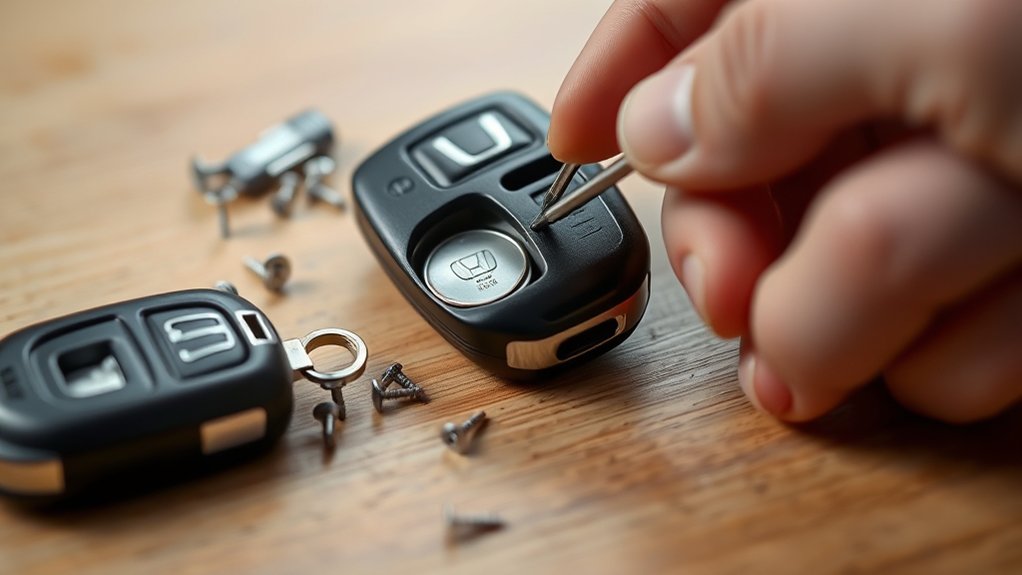
Wondering what the safest way is to open your Honda key fob without causing damage? Start by locating the seam where the two halves of the fob meet. Use a small flathead screwdriver or a plastic pry tool designed for DIY electronics to gently insert into the seam.
Apply light, consistent pressure to avoid cracking the plastic casing. Never use excessive force or metal tools that could scratch or break internal components. Hold the fob securely in one hand to maintain control, ensuring key fob safety.
Once you feel the halves begin to separate, carefully work the tool along the seam until the fob opens. Avoid touching circuit boards or buttons directly to prevent static damage or misalignment. This method ensures a controlled, damage-free opening.
How to Replace the Battery in Your Honda Key Fob
Why does your Honda key fob need a battery replacement? Over time, the battery’s voltage drops, impairing the fob’s signal strength due to its compact design.
To replace the battery, first identify the battery type by checking the markings inside the fob. Use precise techniques to avoid damaging the internal components: gently pry open the casing along the seam with a flat tool, respecting the fob’s snap-fit design.
Carefully pry open the key fob along the seam with a flat tool to avoid damaging its internal parts.
Remove the old battery carefully, noting its orientation. Insert the new battery with the positive side facing up, ensuring it sits flush within the compartment.
Close the casing firmly until you hear it snap back into place. By following these exact steps, you maintain the key fob’s functionality while preserving its intricate design and avoiding unnecessary repairs.
How to Test and Maintain Your Honda Key Fob After Replacement
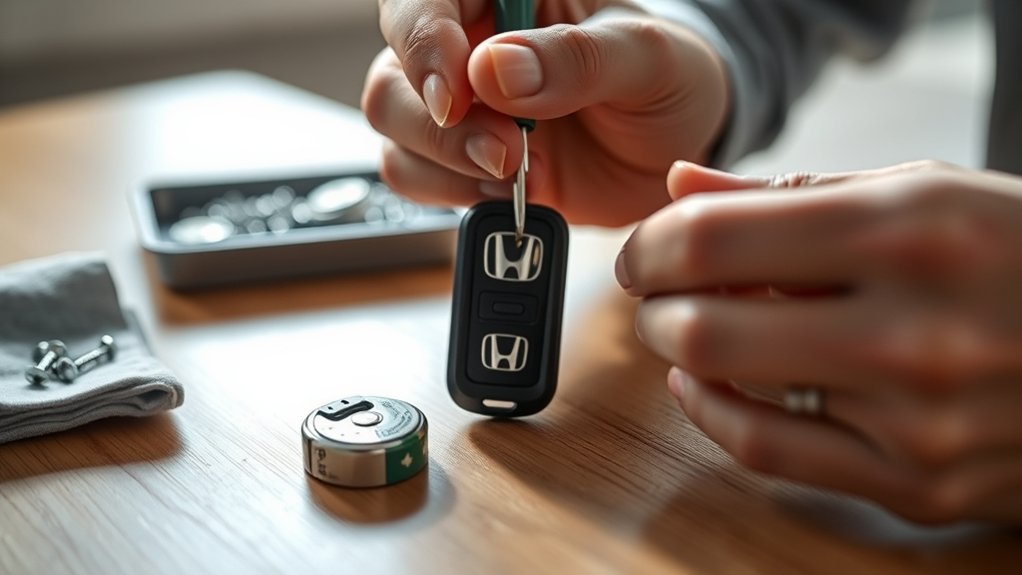
Once you’ve replaced the battery, you’ll want to verify that your Honda key fob functions correctly before sealing the deal. Start by testing each button: lock, unlock, trunk release, and panic to ensure they respond promptly. If any button fails, recheck battery placement and connections.
Maintain your key fob by keeping it dry and clean, avoiding extreme temperatures, and handling it gently as part of proper care and etiquette. Use only batteries and replacement parts with confirmed brand compatibility to prevent damage.
Periodically inspect the key fob’s casing for cracks or wear that might expose internal components. Regular testing and maintenance extend the fob’s lifespan, ensuring reliable performance and security. Following these steps guarantees your Honda key fob remains efficient after battery replacement.
Frequently Asked Questions
Can I Use a Rechargeable Battery in My Honda Key Fob?
You shouldn’t use a rechargeable battery in your Honda key fob, as it risks irreversible damage and may void warranty implications. Stick to the specified non-rechargeable battery type to ensure proper function and avoid complications.
How Long Does a Honda Key Fob Battery Typically Last?
Think of your Honda key fob battery like a marathon runner. It typically lasts 1-3 years.
Two word ideas like “power efficiency” and “usage frequency” affect lifespan.
Avoid unrelated topics for clarity and precise maintenance scheduling.
What Should I Do if My Key Fob Stops Working After Battery Replacement?
If your key fob stops working after battery replacement, double-check battery orientation and contacts. Avoid subtopic mismatch by focusing on proper installation.
Reset the fob by pressing both buttons simultaneously for two seconds. Test functionality immediately.
Are There Any Security Risks When Changing My Key Fob Battery?
You won’t face major security concerns changing your key fob battery, but avoid exposing internal components.
Dispose of the old battery properly to prevent environmental harm and potential data leakage from damaged batteries. Handle carefully.
Can a Dead Key Fob Battery Affect My Car’s Alarm System?
When it comes to battery maintenance, a dead key fob battery can throw a wrench in the works by disabling your car’s alarm system. Keep your key fob aesthetics intact and replace the battery promptly for reliable security.
Conclusion
With your Honda key fob’s heart now beating fresh, you’ll unlock convenience with every press, like a well-oiled machine humming smoothly. Keep your tools close and your battery fresh to avoid sudden silence.
Remember, gentle hands and steady pressure are your allies as you open, replace, and close. Regular checks will keep your fob ready, ensuring you glide through daily routines effortlessly.
Every button will respond like clockwork in your palm, making changing the battery in your Honda key fob a simple and effective way to maintain its performance.