Your Honda Odyssey key fob relies on a small battery that, when weak, can cause frustrating delays or unresponsive buttons.
Changing the Honda Odyssey key battery is a straightforward process, but it requires careful handling to avoid damaging the fob.
Knowing the exact steps to open the case, identify the battery type, and replace it correctly ensures your key functions reliably.
Let’s start by recognizing the signs that indicate your key fob battery needs attention.
Key Takeaways
Gently pry open the key fob casing using a flathead screwdriver or coin at the notch along the seam.
Remove the old CR2032 lithium coin cell battery, noting its orientation for correct replacement.
Insert a new CR2032 battery with the correct polarity to ensure reliable voltage and functionality.
Snap the fob halves back together firmly, aligning rubber buttons with internal contacts.
Test the key fob functions near the vehicle to confirm proper operation after battery replacement.
Signs Your Honda Odyssey Key Fob Battery Is Dying
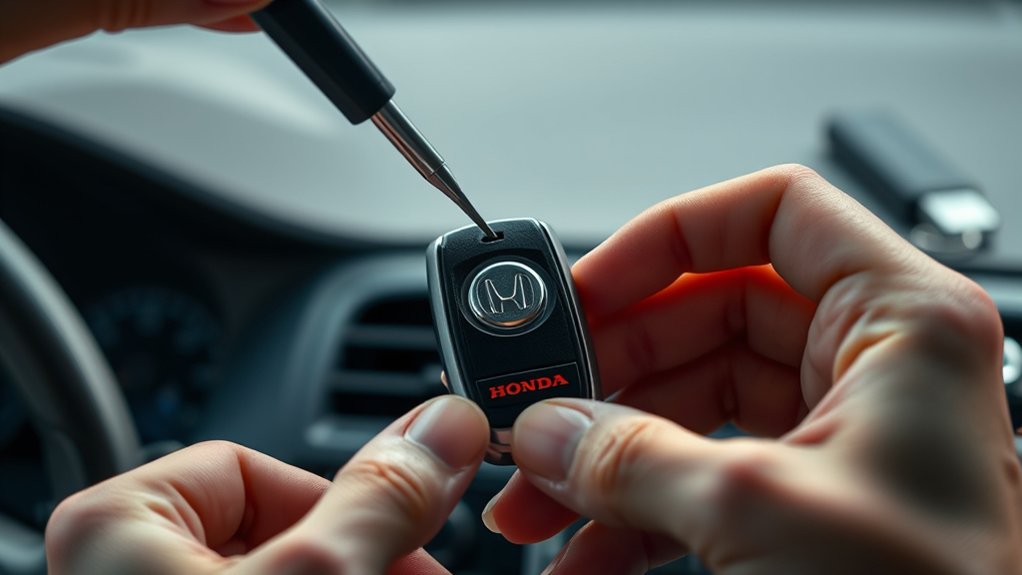
How can you tell when your Honda Odyssey key fob battery is dying? Typically, you’ll notice decreased signal strength, causing intermittent locking or unlocking failures. The battery chemistry in standard fobs relies on lithium coin cells, which degrade over time due to internal resistance increase and voltage drop.
This degradation reduces the current available to power the transmitter circuit, leading to unreliable performance. Additionally, the LED indicator on the fob may dim or fail to light. While discussing battery chemistry reveals these limitations, exploring solar powered fobs offers an emerging alternative by harnessing ambient light to maintain charge, potentially extending functional life and reducing replacement frequency.
However, most Honda Odyssey fobs still depend on conventional batteries, so recognizing these signs ensures timely battery replacement to maintain reliability.
Which Battery Fits Your Honda Odyssey Key Fob?
Noticing signs of a dying battery means it’s time to replace it with the correct type. For most Honda Odyssey key fobs, you’ll need a CR2032 lithium coin cell battery. This battery offers reliable voltage and longevity, essential for maintaining remote start tech and security features without bypassing insurance protocols.
Using the specified battery ensures your key fob operates within manufacturer specifications, preventing potential malfunctions. Avoid substitutes that deviate from the standard, as they may compromise signal strength or cause intermittent failures, risking your vehicle’s security system.
Always verify the battery model by consulting your owner’s manual or inspecting the existing battery inside your key fob. Proper replacement preserves your key’s function and supports all integrated systems, including remote start and anti-theft measures.
How to Open Your Honda Odyssey Key Fob
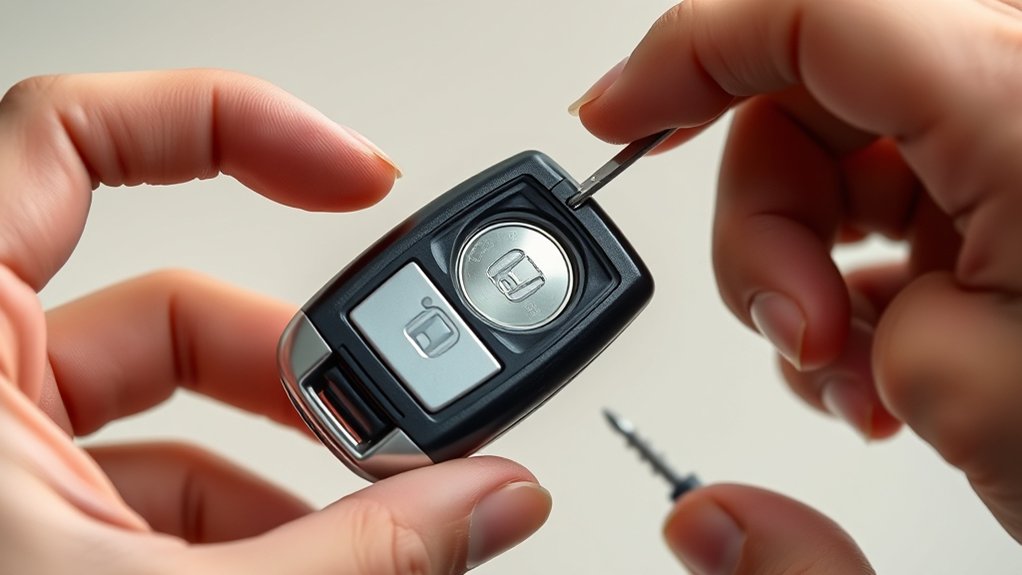
To access the battery compartment of your Honda Odyssey key fob, you’ll need to carefully separate the two halves of the casing. Start by locating the small notch along the seam. Use a flathead screwdriver or a coin to gently pry the casing open, applying steady pressure to avoid damaging the plastic.
Avoid forcing it, as this may crack the fob and compromise its water resistance. This precision is similar to handling delicate equipment in drone photography, where careful manipulation ensures functionality. Once opened, you’ll see the battery ready for replacement.
Whether you’re preparing for off road driving or daily use, maintaining your key fob’s power is essential. Keep components clean and free from debris to ensure seamless operation.
How to Safely Replace and Reassemble Your Key Fob Battery
Start by carefully removing the old battery, noting its orientation to guarantee proper replacement. Use a non-metallic tool to avoid damaging internal components.
Once the new battery is in place, securely snap the key fob halves back together to complete the reassembly.
Removing The Old Battery
How do you safely remove the old battery without damaging the key fob? First, avoid irrelevant topic or random discussion about the key fob design; focus solely on careful extraction. Use a small flathead screwdriver or plastic pry tool to gently open the fob’s seam. Avoid metal tools that can scratch or break components.
Once opened, identify the battery compartment. Carefully lift the battery out without bending the contacts or forcing components.
| Step | Action |
|---|---|
| 1. Open fob | Insert pry tool at seam gently |
| 2. Locate battery | Identify the silver coin cell |
| 3. Remove battery | Lift battery straight up carefully |
Following these steps ensures no damage, preparing you for a smooth battery replacement.
Reassembling The Key Fob
After replacing the battery, carefully align the two halves of the key fob before pressing them firmly together. Guarantee the internal components are seated correctly to avoid damage or malfunction. Listen for a subtle click indicating the casing is securely closed.
Avoid forcing the pieces, as this might crack the plastic. Ignore any irrelevant topic suggestions or distractions that could lead to wasted time during reassembly. Double-check that the rubber buttons align with their contacts inside the fob.
Once assembled, test the key fob’s functions: lock, unlock, and panic button to confirm proper operation. If the fob doesn’t respond, reopen and verify battery placement and contact cleanliness. Following these steps precisely prevents errors and keeps your Honda Odyssey key fob working reliably.
How to Test Your Honda Odyssey Key Fob After Battery Replacement
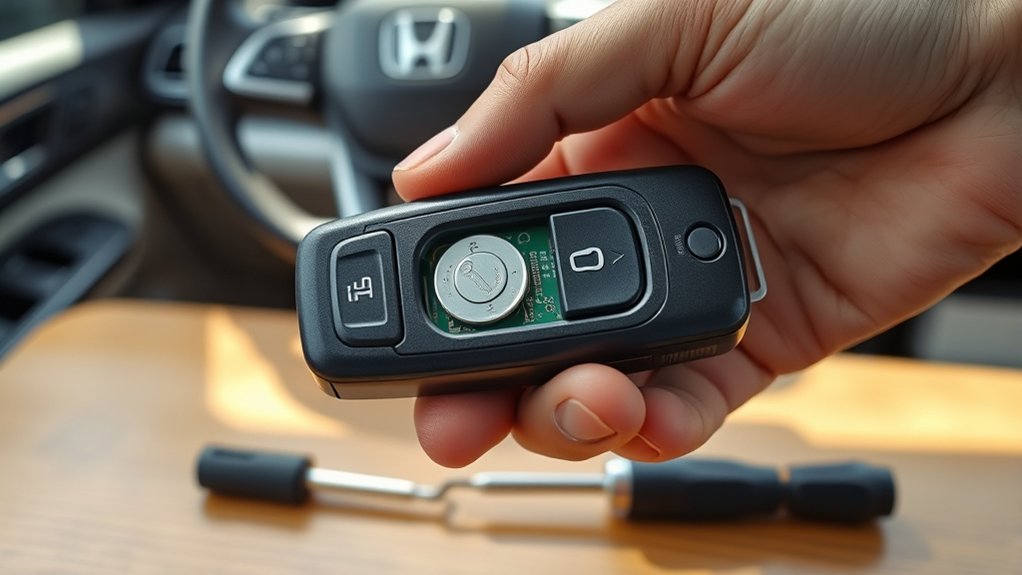
Wondering if your Honda Odyssey key fob is working correctly after installing a new battery? Start by standing near your vehicle and pressing the lock and unlock buttons. Confirm the vehicle’s response: the doors should lock and unlock instantly.
Next, test the panic button to ensure the alarm sounds. Avoid any irrelevant topic or off topic discussion such as unrelated vehicle functions.
If the key fob fails to respond, double-check the battery placement and contacts for proper alignment and cleanliness. Also, verify the key fob casing is securely snapped back together.
Consistent, correct responses indicate successful battery replacement. This straightforward testing procedure confirms functionality efficiently before moving on to troubleshooting common issues.
Troubleshooting Common Honda Odyssey Key Fob Battery Issues
If your Honda Odyssey key fob isn’t responding, first check for common battery signs like weak signal or inconsistent locking. You might need to reset the key fob to restore proper function.
Let’s review how to identify these issues and perform a reset efficiently.
Key Fob Battery Signs
How can you tell when your Honda Odyssey key fob battery is failing? The most common sign is a reduced signal range, often caused by battery chemistry degradation. Over time, the lithium coin cell loses voltage capacity, resulting in weak transmissions.
You might notice the lock or unlock functions require multiple presses or only work intermittently. Additionally, signal interference can mimic battery issues, so ensure you’re testing the fob in an open area away from electronic noise.
Another indicator is the lack of any response from the key fob, such as no LED light when pressing buttons. These symptoms typically mean the battery is near depletion and needs replacement to maintain optimal remote functionality and avoid lockout scenarios.
Resetting The Key Fob
Why might your Honda Odyssey key fob still malfunction after replacing the battery? The issue often lies in the need for resetting the key fob to reestablish two-way communication with the vehicle. Follow these steps to troubleshoot:
- Reprogram key: Insert the key into the ignition and turn it to the “On” position without starting the engine. Hold any two buttons on the key fob simultaneously for 15 seconds until the indicator light blinks.
- Test signal: Stand near the vehicle and press any button on the key fob to verify a two-way signal is established.
- Repeat process: If necessary, repeat the reset process to ensure proper synchronization.
Resetting the key fob restores two-way functionality, resolving common battery-related issues efficiently.
Tips to Extend Your Honda Odyssey Key Fob Battery Life
When should you replace your Honda Odyssey key fob battery to maximize its lifespan? Replace it as soon as you notice reduced range or delayed response.
To extend battery life, avoid exposing the fob to extreme temperatures or moisture, which degrade battery performance. Limit unnecessary button presses. Pressing buttons without purpose drains power quickly.
Store the key fob away from electronics that emit strong electromagnetic signals, which can interfere and cause premature battery drain. Regularly clean the battery contacts to maintain efficient power flow.
If you use a keyless entry system, disable features you don’t need, reducing constant battery use. Following these technical tips will help you get the most from your Honda Odyssey key fob battery, minimizing replacements and ensuring consistent functionality.
Frequently Asked Questions
Can I Use a Rechargeable Battery in My Honda Odyssey Key Fob?
You shouldn’t use a rechargeable battery in your Honda Odyssey key fob because it requires a stable, two-word battery type like “coin cell.”
Using rechargeable batteries causes issues like voltage inconsistency and reduced lifespan.
How Often Should I Replace My Honda Odyssey Key Fob Battery?
You should replace your Honda Odyssey key fob battery every 1-2 years or when performance drops. Avoid irrelevant topics or unrelated discussion; focus on timely battery checks to guarantee consistent key fob functionality and avoid failures.
Will a Dead Key Fob Battery Prevent My Car From Starting?
A dead battery in your Honda Odyssey key fob can act like a silent alarm, causing starting issues by preventing remote recognition. Ignoring this won’t affect your warranty but isn’t an irrelevant topic for reliable operation.
Can Water Damage Affect My Key Fob Battery Life?
Yes, water damage can reduce your key fob battery life by causing corrosion and short circuits. Additionally, button wear from moisture exposure may impair functionality.
Avoid water contact to preserve your key fob’s performance and longevity.
Are There Professional Services to Replace My Honda Odyssey Key Fob Battery?
Over 70% of key fob battery replacements use professional service for precise battery compatibility. You can trust certified technicians to ensure the correct battery type, proper installation, and avoid damage.
This helps extend your Honda Odyssey key fob’s lifespan.
Conclusion
Replacing your Honda Odyssey key fob battery is straightforward but essential for reliable function. Did you know that over 60% of key fob failures stem from battery issues? By promptly swapping the CR2032 battery and ensuring correct reassembly, you maintain best performance and avoid frustrating lockouts.
Regularly testing your fob after replacement helps catch problems early. Follow these steps precisely to keep your key fob responsive and extend its battery life effectively. Proper maintenance is key to ensuring your Honda Odyssey key fob battery lasts longer and functions smoothly.