To reset your Jeep Wrangler screen, you can perform a soft reset by turning the ignition on and holding the infotainment power button for 10 seconds until the screen restarts.
For a hard reset, disconnect the negative battery terminal, wait 10 minutes, then reconnect and start the vehicle, which clears all settings.
Soft resets fix minor glitches, while hard resets fully reboot the system.
If issues persist, exploring troubleshooting and update steps can help restore smooth operation.
Key Takeaways
- Turn the ignition to ON without starting the engine to initiate a soft reset on the Jeep Wrangler screen.
- Press and hold the infotainment system’s power button for 10 seconds until the screen restarts.
- For a hard reset, disconnect the negative battery terminal and wait at least 10 minutes before reconnecting.
- After a reset, verify and reconfigure screen display settings as needed.
- Use a soft reset first to clear minor glitches before attempting a hard reset or further troubleshooting.
How to Perform a Soft Reset on Your Jeep Wrangler Screen
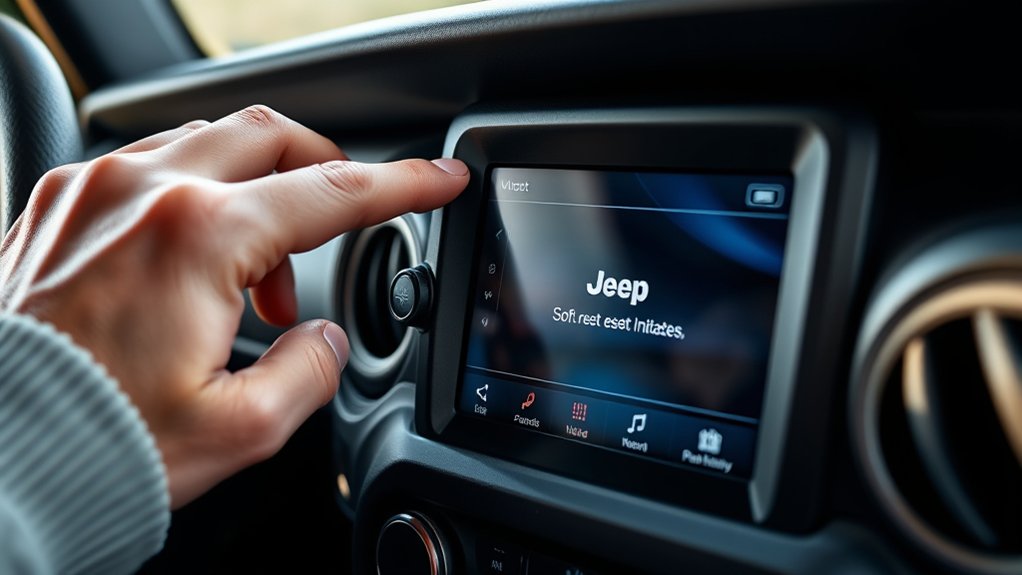
To perform a soft reset on your Jeep Wrangler screen, start by turning the ignition to the ON position without starting the engine. Next, press and hold the power button on the infotainment system for about 10 seconds until the screen goes black and then restarts.
This process recalibrates the screen calibration and clears minor glitches without affecting your saved display settings. After the reset, verify the display settings to confirm they remain as you configured them.
If you notice any discrepancies in touch responsiveness or color accuracy, access the settings menu to adjust screen calibration manually. Performing a soft reset regularly can maintain peak screen performance, prevent software freezes, and preserve personalized display settings, allowing you to avoid more invasive troubleshooting steps.
How to Perform a Hard Reset on Your Jeep Wrangler Screen
Although a soft reset often resolves minor issues, performing a hard reset on your Jeep Wrangler screen will fully restore the system to its factory default settings. This process is crucial if you want to recalibrate your screen or fix persistent display settings problems.
To perform a hard reset:
To perform a hard reset, fully power down your Jeep by disconnecting the battery before restarting the system.
Turn off the vehicle and disconnect the negative battery terminal to cut power completely. Wait at least 10 minutes to guarantee full system shutdown. Reconnect the battery, start the vehicle, and allow the system to reboot.
After the hard reset, you’ll need to redo screen calibration and adjust display settings to your preference, as all prior configurations will be erased. This reset method addresses deeper software malfunctions that a soft reset can’t fix.
Troubleshooting Jeep Wrangler Screen Freezes and Glitches
Several common causes can trigger screen freezes and glitches on your Jeep Wrangler’s display, ranging from software bugs to hardware malfunctions. When facing screen responsiveness issues, start by checking for dirt or moisture on the touchscreen, which can affect sensitivity.
Employ touchscreen calibration techniques through the settings menu to enhance accuracy. If problems persist, consider a power cycle or inspect the wiring connection.
| Issue | Cause | Solution |
|---|---|---|
| Screen Freezing | Software glitches | Perform a hard reset |
| Touchscreen Unresponsive | Dirt/moisture, miscalibration | Clean screen, recalibrate |
| Flickering Display | Loose connections | Check wiring, secure connectors |
These targeted steps help resolve common glitches without unnecessary resets.
Update Your Jeep Wrangler Software and Prevent Screen Freezes
You should first check your Jeep Wrangler’s current software version through the infotainment system settings. Keeping your system updated with the latest firmware helps fix bugs and reduces the risk of screen freezes.
Regular updates guarantee peak performance and prevent recurring issues.
Checking Software Version
Software version plays a critical role in your Jeep Wrangler’s infotainment system performance. Confirming your system runs the latest software updates helps maintain screen compatibility and prevents issues like freezes or glitches. To check your current software version, navigate through the settings menu on your infotainment screen.
Here’s how you can verify your software version quickly:
- Access the “Settings” or “System” tab on the infotainment display
- Locate the “About” or “Software Information” section
- Note the displayed software version number for comparison with the latest available updates
Regularly checking your software version keeps you informed about necessary updates. This proactive step guarantees peak screen compatibility and smooth operation of your Jeep Wrangler’s infotainment system.
Performing System Updates
Keeping your Jeep Wrangler’s software up to date helps prevent screen freezes and guarantees top system performance. To perform system updates, first confirm your vehicle’s infotainment system compatibility with the latest software version.
Check the manufacturer’s website or your vehicle’s manual for update frequency recommendations, typically quarterly or biannually. Download updates via Wi-Fi or a USB drive, following the specific instructions for your Jeep model.
Make certain the vehicle is parked with the ignition on during the update to avoid interruptions. After installation, the system will reboot automatically, applying new features and bug fixes.
Regularly maintaining software updates enhances system stability and responsiveness, minimizing the risk of malfunction. Staying current with updates is essential for maintaining peak operation and extending the lifespan of your Jeep Wrangler’s screen system.
Preventing Screen Freezes
Although occasional glitches can occur, regularly updating your Jeep Wrangler’s software greatly reduces the chance of screen freezes. Software updates enhance system stability and fix bugs that cause display issues.
To guarantee effective screen maintenance, you should adopt proactive troubleshooting techniques. These help maintain ideal screen responsiveness and prevent freezes. Key steps include:
- Schedule and install updates promptly via the Uconnect system or Jeep’s official website.
- Clear cache and reset the screen periodically to remove residual data that may trigger freezes.
- Avoid running multiple apps simultaneously to reduce system overload and improve performance.
Tips to Keep Your Jeep Wrangler Screen Running Smoothly
To maintain your Jeep Wrangler screen’s performance, you should regularly update the system firmware and avoid exposing the display to extreme temperatures. These steps are essential for effective screen maintenance.
Protect the screen from direct sunlight and moisture, as both can degrade touchscreen sensitivity and cause hardware faults. Use only approved cleaning materials, such as microfiber cloths slightly dampened with screen-safe solutions, to prevent damage during display care.
Avoid pressing the screen with excessive force, which can harm internal components. Periodically check for software updates via the vehicle’s infotainment settings to guarantee compatibility and fix bugs.
Implementing these practices helps you sustain responsiveness and prolong the lifespan of your Jeep Wrangler screen, minimizing the need for resets and repairs.
How to Know When It’s Time to See a Professional
If your Jeep Wrangler screen frequently freezes, is unresponsive to touch, or displays persistent error messages despite basic troubleshooting, it’s time to consult a professional. Recognizing signs of malfunction beyond simple resets helps you avoid worsening issues or voiding warranties.
You should seek professional assistance when:
- The screen fails to power on or repeatedly restarts without user input
- System updates consistently fail or cause additional errors
- Physical damage or internal component faults affect display functionality
These signs of malfunction indicate deeper hardware or software problems that require diagnostic tools and expertise. Attempting advanced repairs without proper knowledge can lead to further damage.
Relying on professional assistance guarantees accurate identification of issues and appropriate repairs, restoring your Jeep’s infotainment system to peak performance.
Frequently Asked Questions
Can I Reset the Screen Without Turning off the Engine?
You can reset the infotainment system screen without turning off the engine by performing a screen troubleshooting procedure, like holding the volume and power buttons simultaneously. This allows you to reboot the system without interrupting engine operation.
Does Screen Reset Affect My Saved Radio Stations or Settings?
About 70% of Jeep users worry resets affect saved settings. Don’t worry. Resetting your screen won’t erase your radio preferences or saved settings. It preserves your personalized experience while resolving system glitches efficiently and safely.
How Long Does a Typical Screen Reset Take?
A typical screen reset takes about 1-3 minutes. Use screen troubleshooting tips like turning off the ignition or holding the power button to resolve dashboard display issues quickly and efficiently without risking saved settings or data loss.
Are There Any Risks to Resetting the Screen Frequently?
You won’t risk screen reliability by resetting frequently, but excessive resets might momentarily disrupt your user experience.
Regular resets help clear glitches, so just avoid unnecessary resets to maintain peak system performance and longevity.
Can a Screen Reset Fix Bluetooth Connectivity Issues?
Yes, a screen reset can resolve Bluetooth connectivity issues by rejuvenating the system. Use this Bluetooth troubleshooting step as part of wider connectivity solutions, but combine it with device pairing checks for a thorough fix.
Conclusion
Now that you know how to reset your Jeep Wrangler screen, troubleshoot glitches, update software, and maintain smooth performance, you’re equipped to handle most issues confidently.
You can perform soft resets quickly, execute hard resets when needed, update your system regularly, and monitor for persistent problems.
If problems persist despite these steps, don’t hesitate to seek professional help.
Stay proactive, stay informed, and keep your Jeep Wrangler screen running efficiently.