If you own a Honda Civic, knowing how to reset the oil life indicator on your Honda Civic is essential for accurate maintenance tracking. You’ll need to interact with your vehicle’s multi-information display and understand the specific steps for your model year. Getting this right ensures your oil change reminders stay reliable and your engine runs smoothly.
But before you proceed, there are key details and precautions you should consider. Following the correct procedure helps maintain your vehicle’s performance and longevity. Always consult your owner’s manual if you’re unsure about any step.
Key Takeaways
- For 2016+ Civics, turn ignition ON (engine off), access MID Settings, navigate to Maintenance Info > Oil Life, then hold Enter to reset to 100%.
- For older Civics, turn ignition ON (engine off), press and hold trip/reset button until oil life blinks, then release to reset.
- Always reset oil life indicator immediately after completing an oil change to ensure accurate monitoring.
- Verify the reset is complete before driving, and avoid interrupting the reset process to prevent errors.
- If reset fails, check ignition position, dashboard fuse, oil life sensor, or consult a technician for diagnostics.
How To Check Your Honda Civic’s Oil Life Indicator

How do you check your Honda Civic’s oil life indicator? First, turn the ignition to the ON position without starting the engine. Navigate the multi-information display using the steering wheel controls until you reach the “Oil Life” screen.
This percentage reflects the remaining oil quality based on engine operating conditions. Monitoring this indicator ensures timely oil changes, preserving engine performance.
Dealership tips emphasize regularly verifying oil quality through this system rather than relying solely on mileage intervals. If the oil life drops below 15%, schedule an oil change promptly to prevent engine wear.
How To Reset The Oil Life Indicator On A 2016+ Honda Civic
Resetting the oil life indicator on a 2016 or newer Honda Civic guarantees your dashboard accurately reflects your engine’s maintenance status after an oil change. First, turn the ignition to the ON position without starting the engine.
Resetting the oil life indicator ensures your 2016+ Honda Civic’s dashboard shows correct maintenance status after an oil change.
Use the steering wheel controls to navigate the Multi-Information Display (MID) and select the “Settings” menu. Scroll to the “Maintenance Info” section and choose “Oil Life.” Press and hold the “Enter” button until the oil life resets to 100%.
This procedure recalibrates the system’s oil sensors, ensuring maintenance alerts correspond with actual oil condition. By completing this reset, you maintain precise monitoring of oil life, helping prevent premature wear and safeguard engine performance.
Always verify the oil life indicator resets fully before driving.
How To Reset The Oil Life Indicator On Older Honda Civics
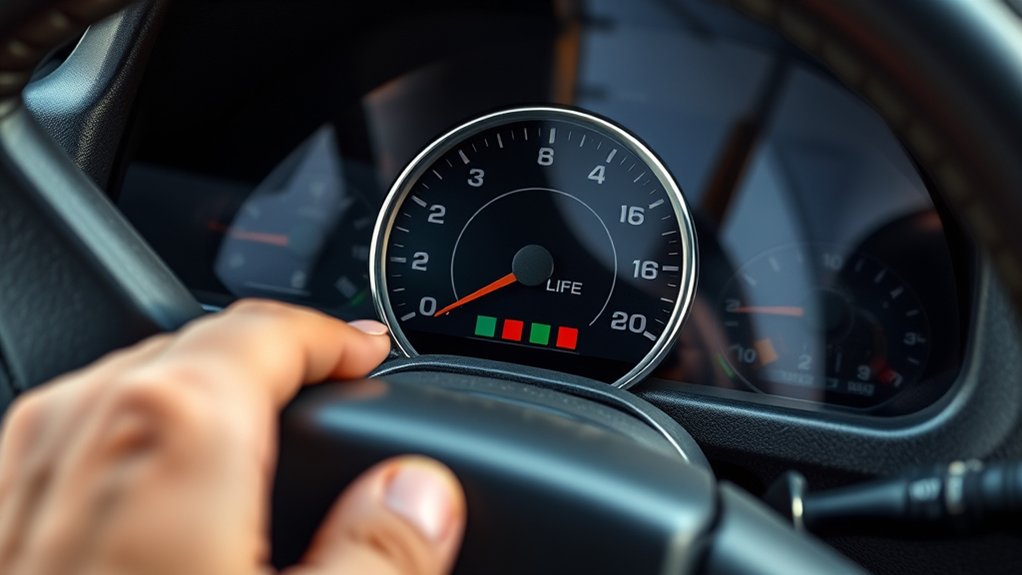
While newer Honda Civics feature a digital interface for oil life resets, older models rely on a manual process. You’ll need to use the ignition switch and dashboard buttons to reset the oil life indicator. This method debunks maintenance myths that suggest dealer visits are necessary for every reset.
Properly resetting ensures accurate oil life tracking, which directly impacts fuel economy.
| Step | Action |
|---|---|
| 1 | Turn ignition to ON (engine off) |
| 2 | Press and hold the trip/reset button |
| 3 | Hold until the oil life indicator blinks |
| 4 | Release button; oil life resets to 100% |
Follow these steps precisely to maintain your Civic’s performance and fuel efficiency.
What To Do Before Resetting Your Civic’s Oil Life Indicator
Before resetting your Civic’s oil life indicator, check the oil level to ensure it’s within the recommended range. Inspect the oil’s condition for any signs of contamination or degradation.
Finally, review your maintenance schedule to confirm that an oil change is due.
Check Oil Level
A pivotal step prior to resetting your Honda Civic’s oil life indicator is verifying the engine oil level. Ensuring the oil level is within the recommended range prevents engine damage and supports accurate oil life monitoring. Use the dipstick to check the oil when the engine is cool and parked on level ground.
| Parameter | Recommended Action |
|---|---|
| Oil Level | Check with dipstick; add oil if below mark |
| Oil Capacity | Refer to owner’s manual; typically 3.7-4.4 quarts |
| Tire Pressure | Inspect and adjust as part of routine maintenance |
Accurate oil level maintenance complements proper tire pressure checks, both crucial for optimal vehicle performance and safety. Only after confirming oil levels should you proceed to reset the oil life indicator.
Inspect Oil Condition
How do you determine if the oil in your Honda Civic needs changing before resetting the oil life indicator? First, visually inspect the oil’s color and texture via the dipstick. Fresh oil appears amber and translucent, while degraded oil looks dark, gritty, or milky due to contamination or moisture.
Assess the oil’s chemistry by noting any unusual odors or signs of breakdown, which synthetic oils resist longer than conventional ones. Synthetic oil maintains stability under heat and stress, preserving engine protection, whereas conventional oil degrades faster.
If the oil shows significant discoloration, metal particles, or an acrid smell, it’s time for an oil change. Only after confirming oil condition aligns with manufacturer standards should you reset the oil life indicator to ensure accurate maintenance tracking.
Review Maintenance Schedule
When should you consult your Honda Civic’s maintenance schedule prior to resetting the oil life indicator? Always review it before resetting to ensure proper vehicle care and optimal performance. The schedule outlines the correct intervals for oil changes and other key maintenance tasks, which directly impact fuel economy and engine longevity.
Before you reset the oil life indicator, verify:
- The recommended mileage or time interval for oil changes has been met.
- Any additional required inspections or replacements are completed.
- Specific oil types and grades compatible with your Civic are used.
- Other maintenance tasks influencing fuel economy, like air filter checks, are addressed.
Following the maintenance schedule precisely helps maintain accurate oil life readings and supports your Civic’s efficient operation.
When To Reset Your Civic’s Oil Life Indicator
You should reset your Civic’s oil life indicator immediately after completing an oil change to ensure accurate monitoring. If the warning light activates, reset the indicator to prevent false alerts.
Following your vehicle’s regular maintenance schedule helps maintain optimal engine performance and timely resets.
After Oil Change
Why is resetting the oil life indicator essential after an oil change? It ensures your Honda Civic’s system accurately tracks oil quality and prevents premature warnings. Resetting also minimizes unnecessary battery drain by avoiding false alerts.
After changing your oil, reset the indicator promptly to maintain optimal vehicle diagnostics. Follow these steps:
- Turn the ignition to ON without starting the engine.
- Navigate to the oil life display on the dashboard.
- Press and hold the reset button until the oil life resets to 100%.
- Confirm the reset by turning the ignition off and on again.
Proper resetting safeguards your engine by reflecting true oil condition and preserves battery health by preventing excessive electrical load.
Warning Light Activation
How do you know it’s time to reset your Honda Civic’s oil life indicator? The warning light activates when the onboard computer detects that the oil’s effectiveness has diminished, signaling the need for an oil change.
This typically happens after a preset mileage or time interval, depending on your driving conditions. Ignoring this warning can reduce fuel economy and engine performance due to degraded lubrication.
Once you complete the required oil changes, you must reset the indicator to ensure accurate monitoring. Resetting at the correct time prevents premature alerts and helps maintain optimal engine health.
Always respond promptly to the warning light activation to keep your Civic running efficiently and avoid costly repairs.
Regular Maintenance Schedule
After completing an oil change and resetting the indicator, adhering to a regular maintenance schedule guarantees your Honda Civic’s oil life system provides accurate feedback. You should reset the oil life indicator after every oil change, typically every 7,500 miles or as specified in your owner’s manual.
Besides oil changes, timely tire rotation and other scheduled services support optimal vehicle performance. Follow this maintenance checklist:
- Perform oil changes and reset the oil life indicator as recommended.
- Rotate tires every 7,500 miles to ensure even wear.
- Check and replace air filters and fluids according to schedule.
- Inspect brakes and other critical components regularly.
Maintaining this routine helps prevent premature wear and maximizes engine efficiency.
Troubleshooting Oil Life Indicator Reset Issues
When your Honda Civic’s oil life indicator doesn’t reset as expected, it often signals a procedural or system issue that needs addressing. First, ensure you follow the correct reset sequence precisely, as deviations can prevent the indicator from updating. Check that your ignition is in the proper position during the reset process.
If the indicator remains unchanged, inspect the dashboard fuse and oil life sensor for faults or loose connections. Additionally, inconsistent driving habits can affect the oil life calculation, leading to inaccurate readings.
Consider how aggressive acceleration or frequent short trips may impact fuel economy and oil degradation, influencing the sensor’s reset behavior. If problems persist, use a diagnostic scanner to verify system faults or consult a professional technician to recalibrate or repair the oil life monitoring system.
Why You Should Reset Your Civic’s Oil Life Indicator

Why is it essential to reset your Civic’s oil life indicator regularly? Resetting ensures the system accurately monitors oil degradation based on your vehicle’s specific oil capacity and driving conditions. Without resetting, you risk ignoring timely oil changes, leading to engine wear and reduced fuel economy.
Resetting your Civic’s oil life indicator ensures accurate monitoring, preventing engine wear and maintaining fuel efficiency.
Here’s why you should reset the oil life indicator promptly:
- Maintains precise tracking of oil condition relative to your Civic’s oil capacity.
- Prevents premature or delayed oil changes, optimizing engine performance.
- Supports consistent fuel economy by ensuring fresh oil lubricates efficiently.
- Enhances engine longevity through timely maintenance alerts.
Regular resets keep your oil monitoring system calibrated, safeguarding your Civic’s mechanical health and operational efficiency.
How To Track Oil Changes Between Oil Life Resets
Resetting your Civic’s oil life indicator keeps the system accurate, but it’s equally important to monitor oil changes between resets to maintain consistent engine care. To track oil changes effectively, maintain a digital log or use a maintenance app that records dates, mileage, and oil type.
You can also keep a physical logbook in your glove compartment. Check your vehicle’s service schedule for recommended oil change intervals, typically every 7,500 miles or as specified in your owner’s manual. Regularly reviewing this data helps you anticipate oil changes before the indicator resets.
Common Mistakes To Avoid When Resetting Your Civic’s Oil Life Indicator
How can you guarantee the oil life indicator resets correctly without causing errors? Avoiding common mistakes ensures accurate tracking of your Honda Civic’s oil change intervals and maintains optimal fuel economy. Here’s what not to do:
- Don’t reset the indicator before completing the oil change; it leads to inaccurate maintenance alerts.
- Avoid interrupting the reset process; partial resets can cause system glitches.
- Don’t rely solely on the indicator. Track oil changes manually for added accuracy.
- Avoid ignoring the vehicle’s recommended oil type and change frequency, which impacts fuel economy and engine health.
Frequently Asked Questions
What Type of Oil Is Best for a Honda Civic?
You should use a synthetic blend oil with a viscosity of 0W-20 for your Honda Civic. This ensures ideal engine protection, fuel efficiency, and performance across various temperatures. It meets manufacturer specifications precisely and reliably.
How Often Should I Change My Honda Civic’s Oil?
Coincidentally, your Honda Civic’s oil change interval matches its maintenance reminders, typically every 7,500 miles or 12 months. Following this schedule guarantees optimal engine performance and longevity, preventing wear from old oil and contaminants.
Can I Reset the Oil Life Indicator Without Changing the Oil?
You can perform the reset procedure on the oil life indicator without changing the oil, but it’s not recommended. Doing so misleads maintenance tracking, potentially causing engine damage due to overdue oil changes.
Does Resetting the Oil Life Affect My Honda Civic’s Warranty?
Resetting the oil life indicator alone doesn’t void your Honda Civic’s warranty. However, failing to perform proper oil changes as indicated can lead to warranty impact if engine damage occurs due to neglect or improper maintenance.
What Are the Signs of Low Oil in a Honda Civic?
You’ll notice oil pressure warning, engine noise, and oil level drop as two-word discussion ideas indicating low oil. Avoid irrelevant subtopic like fuel issues.
Check your Honda Civic’s oil regularly to prevent engine damage and maintain performance.
Conclusion
Resetting your Honda Civic’s oil life indicator is essential for accurate maintenance tracking. Remember, “a stitch in time saves nine”—reset promptly after every oil change to avoid engine issues. Follow the steps carefully, verify the reset, and keep detailed records for future reference.
Staying on top of your oil life ensures your Civic runs smoothly and efficiently, preventing costly repairs and extending your vehicle’s lifespan. Don’t skip this simple yet vital task of how to reset oil life on Honda Civic.