You might not realize that your Honda is equipped with a Vehicle Stability Assist system, commonly known as VSA. This system constantly monitors multiple factors like steering input, wheel speed, and lateral forces to help keep you safe.
VSA can intervene by selectively braking individual wheels and adjusting engine power to maintain control. Understanding how this system operates can change the way you approach driving in challenging conditions.
Key Takeaways
- VSA stands for Vehicle Stability Assist, enhancing vehicle stability during cornering, acceleration, and sudden maneuvers in Honda vehicles.
- It monitors steering input, wheel speed, and lateral G-forces to detect and correct loss of control.
- VSA selectively applies braking to individual wheels and adjusts engine power to maintain stability.
- This system supports driving precision and safety by reducing risks of skidding or oversteering.
- VSA operates automatically without driver input and is integrated into Honda’s overall dynamic control system.
What Is VSA and Why It Matters in Your Honda
What exactly is VSA, and why should you care about it in your Honda? VSA stands for Vehicle Stability Assist, a sophisticated system that enhances your car’s stability during cornering, acceleration, and sudden maneuvers. It’s not just an unrelated topic or an extra feature; it’s integral to your Honda’s dynamic control.
VSA continuously monitors your steering input, wheel speed, and lateral G-forces. When it detects loss of traction or instability, it selectively applies braking to individual wheels and adjusts engine power to help you maintain control.
Understanding VSA is crucial because it actively supports your driving precision, especially in adverse conditions. This technical system complements your driving skills by reducing the risk of skidding or oversteering, making it a vital component in your Honda’s engineering.
How Honda’s VSA Helps Keep You Safe
How does Honda’s VSA actively contribute to your safety on the road? This new technology continuously monitors your vehicle’s speed, steering input, and lateral acceleration.
When it detects potential loss of control, VSA intervenes by adjusting brake pressure on individual wheels and modulating engine power to stabilize your car. By doing so, it helps you maintain traction and directional control, reducing the risk of skidding or spinning out.
This system works seamlessly in real time, supporting safe driving without requiring driver input. Honda’s VSA enhances your confidence behind the wheel by providing an extra layer of protection that compensates for challenging conditions or abrupt maneuvers.
Common Driving Situations Where Honda’s VSA Activates
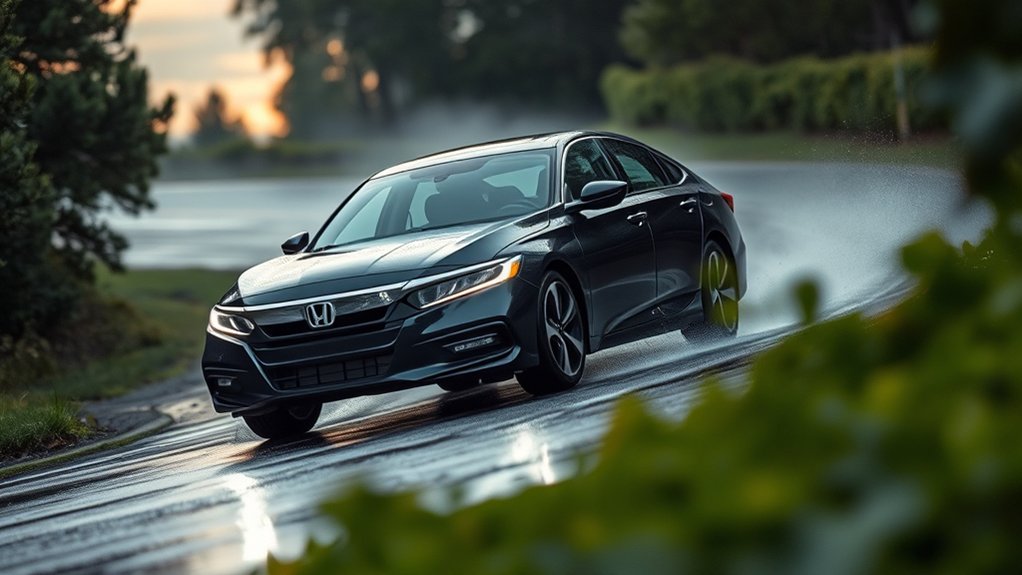
Honda’s VSA continuously monitors driving conditions to intervene precisely when needed. It activates during common driving situations where driving dynamics shift unexpectedly, such as sharp cornering on slippery roads or sudden evasive maneuvers.
When your Honda detects wheel slip or understeer, VSA adjusts braking force on individual wheels and modulates engine output to maintain stability. This system also engages on uneven surfaces, where traction varies between tires, ensuring optimal grip and control.
As a key safety feature, VSA helps prevent skidding and loss of control, especially in wet or icy conditions. By continuously analyzing sensor data, it enhances your vehicle’s responsiveness, allowing you to maintain intended direction and stability, ultimately improving overall safety during challenging driving scenarios.
How to Tell When VSA Is Working in Your Honda
Can you easily recognize when VSA engages during your drive? Knowing the signs helps ensure your Honda’s stability system works effectively. VSA indicators on your dashboard light up when the system activates, alerting you immediately.
Additionally, subtle vehicle behavior changes signal VSA intervention.
Here are three ways to tell VSA is working:
- You feel a gentle pulsing or braking sensation on specific wheels during cornering or slippery conditions.
- Your steering may resist slight oversteer or understeer, maintaining intended direction.
- The VSA indicator briefly illuminates, confirming system engagement.
For precise assessment, use VSA diagnostics tools available at service centers to monitor system performance and error codes, ensuring VSA operates optimally. Recognizing these cues keeps your drive safe and controlled.
Can You Turn Off VSA? What You Should Know
Why might you want to turn off VSA in your vehicle? Turning off VSA can be beneficial in specific situations, such as when driving in deep snow, mud, or sand, where some wheel slip is necessary to maintain momentum.
In Honda vehicles, you can disable VSA by pressing the VSA OFF button, usually located on the dashboard. However, keep in mind that turning off VSA reduces electronic traction and stability control, increasing the risk of losing control during aggressive maneuvers.
Unlike other stability systems, Honda’s VSA integrates both traction and brake control for comprehensive vehicle stability. While turning off VSA might improve performance in low-traction conditions, it’s generally recommended to keep it engaged during regular driving for optimal safety and control.
How Honda’s VSA Differs From Other Stability Systems
While turning off VSA might help in certain low-traction scenarios, understanding how it operates compared to other stability systems can clarify why it’s generally best to keep it engaged. Honda’s VSA integrates brake control with throttle management more precisely than many competitors, debunking reliability myths tied to overly complex systems. Unlike some aftermarket upgrades that focus solely on traction or braking, VSA provides a comprehensive approach.
Here’s how Honda’s VSA stands out:
- Integrated Control: VSA synchronizes engine output and individual wheel braking for balanced stability.
- Real-Time Adjustments: It continuously monitors steering angle, wheel speed, and yaw rate to correct deviations instantly.
- Seamless Operation: Designed specifically for Honda vehicles, it avoids compatibility issues common in aftermarket upgrades.
This precise integration ensures superior handling and safety.
Tips for Maintaining Your Honda’s VSA System
How do you ensure your Honda’s VSA system continues to perform optimally? Regular engine maintenance is essential, as a well-functioning engine supports accurate sensor data crucial for VSA operation. Keep your engine tuned and promptly address any check engine lights.
Equally important is maintaining correct tire pressure; uneven or incorrect pressure can impair wheel speed sensors, leading to inaccurate VSA responses. Check tire pressure monthly and before long trips, adjusting it to manufacturer specifications. Additionally, inspect tires for wear patterns that might affect traction control.
Avoid modifications that alter wheel size or suspension geometry, as these can disrupt VSA calibration. Finally, if the VSA warning light illuminates, have your vehicle’s diagnostic system scanned to identify and resolve issues promptly, ensuring consistent stability control performance.
Frequently Asked Questions
Does VSA Affect Fuel Efficiency in My Honda?
VSA cooling minimally impacts your Honda’s fuel economy by optimizing traction and stability control. While it slightly increases engine load, the effect on fuel efficiency is negligible, ensuring safer handling without significant fuel consumption changes.
Is VSA Available on All Honda Models?
You won’t find VSA on every Honda model; its compatibility varies by model coverage. Typically, newer and higher trims include VSA, so check your specific vehicle’s details to ensure it’s equipped with this safety feature.
How Does VSA Interact With Honda’s ABS System?
You’ll see VSA interaction with ABS overlap during stability control events, where torque vectoring adjusts brake pressure and engine torque. This coordinated effort enhances traction and prevents wheel slip, keeping your Honda safer and more stable.
Can VSA Be Upgraded or Added to Older Hondas?
You can’t just slap on a flux capacitor and upgrade VSA in older Hondas easily. However, some upgrade options exist through aftermarket installation, though they require professional calibration and may not integrate seamlessly with your car’s original systems.
Does VSA Impact Tire Wear or Maintenance?
VSA doesn’t considerably impact tire maintenance or brake wear directly, but by preventing skids and wheel spin, it helps distribute wear more evenly. This can potentially extend tire life and reduce uneven brake pad deterioration during abrupt stops.
Conclusion
Think of VSA in your Honda as a skilled navigator guiding you through a stormy sea, constantly adjusting the sails and rudder to keep your journey steady. Just as the navigator works silently behind the scenes, VSA monitors and corrects your vehicle’s balance in real time, ensuring control and safety without you needing to intervene.
This system helps prevent skidding and loss of traction by automatically applying brakes to specific wheels and adjusting engine power when necessary. It works seamlessly to keep your drive smooth, even in challenging conditions like rain or sharp turns.
Trusting this system means embracing a smarter, safer drive every time you hit the road. Understanding what VSA in a Honda does can give you confidence that your vehicle is working hard to keep you safe.